Project Info
Team
2 UX/UI Designers
1 Frontend Developer
1 Product Manager
Timming
4 months
Challenge
Freshly tiene un programa de fidelización (Freshly Club), donde los usuarios ganan puntos a través de compras y con esos puntos pueden conseguir descuentos, regalos o experiencias. Desde que se lanzó en 2021 (con una agencia externa) el proyecto no sé había vuelto a tocar. Decidimos realizar un research para indentificar oportunidades de mejora.
Discovery
Realizamos 10 entrevistas con usuarios, tanto recurrentes como nuevos. Cómo Freshly tiene tiendas físicas con bastante afluencia de clientes, fuimos a las tiendas de Reus y Tarragona a realizar entrevistas de usabilidad con los usuarios en las propias tiendas. Estos son los insights más significativos:
Users struggle to find information
We asked users to look for information about the program, and they found it difficult to locate it at first glance or through interaction.
The difference between Drops and Coins is unclear
Drops and Coins are the program’s points system. Users don’t understand the difference between them, how they can be used, or what benefits they provide.
Program benefits are hard to discover
Users couldn’t easily find which coupons were available in their Club area, didn’t know how to apply them to their purchases, and were also unaware of other exclusive benefits included in the Club program.
Delivery · Design Solution
· We reduced the size of the current tier section to minimize scrolling and simplify navigation, as tests showed low interaction with this section.
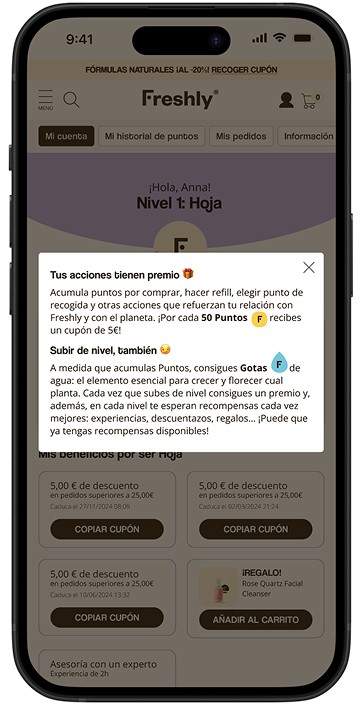
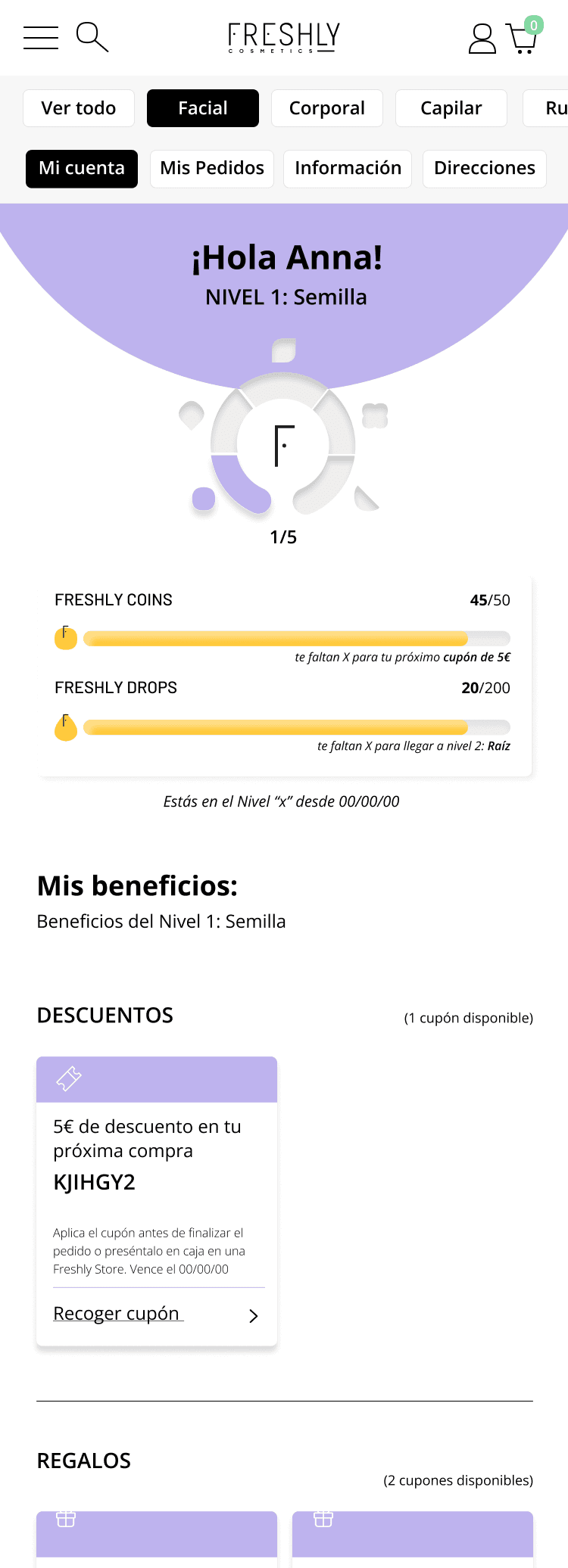
· Assigned different colors to Drops and Coins for easier differentiation. A pop-up was added to clarify the difference when clicking the info icon on the card.
With the new design, the most important information is always above the fold.
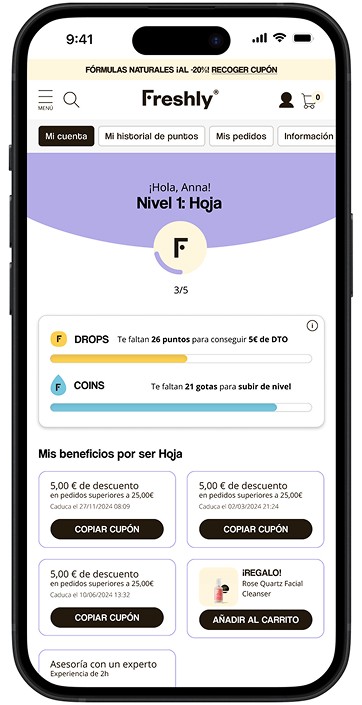
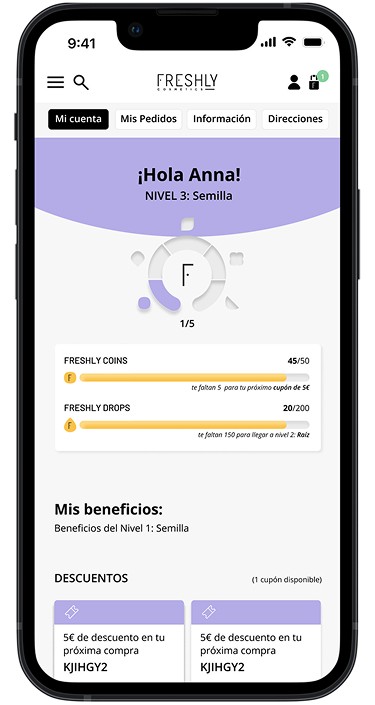
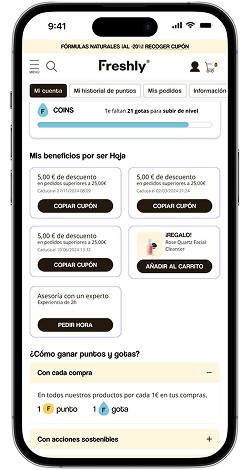
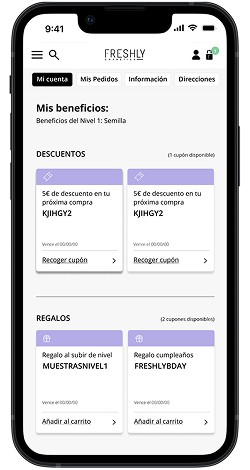
· Grouped all benefits (discounts, gifts, experiences) in a single section using cards. Previously, benefits were spread across different sections and looked visually identical, causing confusion.
· Added product images to help users identify gifts, along with clear CTAs on each card to indicate what actions users could take.
· For coupon cards, the CTA now includes a “copy to clipboard” function, allowing users to easily copy the coupon code for checkout. Previously, the button redirected them to the cart without additional guidance.
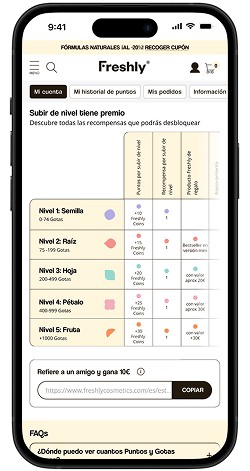
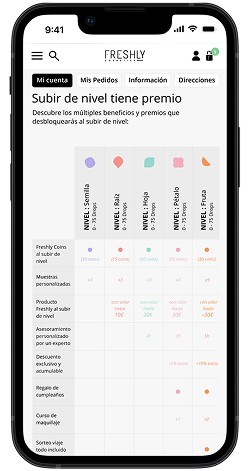
Redesigned the benefits table after testing revealed small text and unclear layout. The new table is larger with horizontal scrolling for easier navigation.
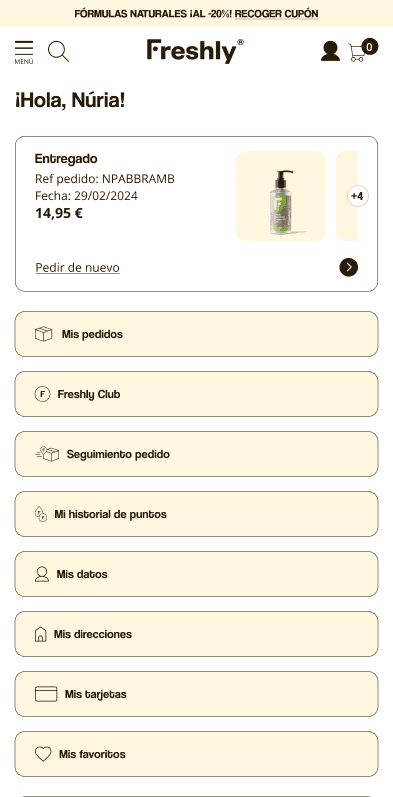
· Redesigned the Customer Area page. Previously, logging in took users directly to the Freshly Club without context, and the Customer Area menu conflicted with the main site navigation. The redesign prioritizes: Last order, orders page, Freshly Club
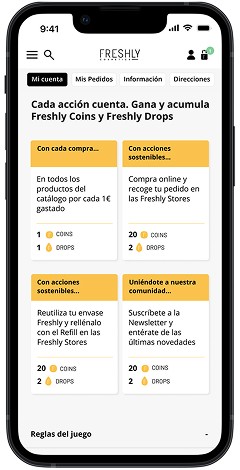
· Added onboarding in the Club. Many recurring users couldn’t remember why they joined, and new users were unsure how to navigate the Club.
· The Onboarding is shown to new members upon joining and to recurring users who haven’t accessed the Club in over three months.
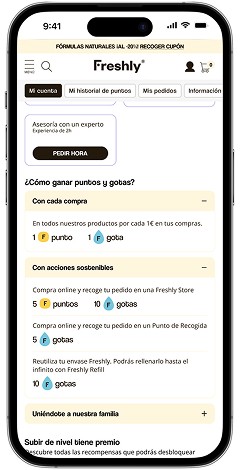
· Simplified the “How the Club Works” section. The old design caused confusion with the benefits section due to similarity and information overload. The new design uses accordions, reducing scroll and letting users choose which information to view.
Data & Results
100% of users
With coupons or gifts in their Customer Area added them to their cart, compared to only 4 out of 10 users in the previous design.
7 out of 10 users
Used the info pop-up for Drops and Coins, indicating it was useful
44.8% of users
Rated the improvement 10/10 in a quantitative Hotjar test conducted on the website.
Project Info
Team
2 UX/UI Designers
2 Developers: 1 Front, 1 Back
1 Product Manager
Timming
2 months
Challenge
La PDP es sin duda, una de las páginas en Freshly que más tráfico recibe y llevaba sin optimizarse unos 4 años. La performance era bastante buena, pero teníamos insights recopilados del equipo de Customer Love y de screen recordings que queríamos mejorar.
Discovery
Once all insights were collected and analyzed, we focused on the most significant ones.
Users do not find the key product information at first sight
Users often felt overwhelmed by the amount of content. This led them to scroll excessively and made it difficult to find the key information they needed to make purchase decisions with confidence.
Educational and key information about products
Users appreciate an educational approach that helps them maximize the benefits of products and their routines. This includes, for example, videos on how to use the products or the correct order of the skincare routine.
Los test clínicos de los productos son muy valorados por los usuarios
Los usuarios quieren ver y entender los resultados clínicos de los productos para validar su efectividad
Delivery · Design Solution
Tras analizar los insights que otuvimos en la fase de discovery esta es la propuesta de diseño que trabajamos
Excessive scrolling and information overload
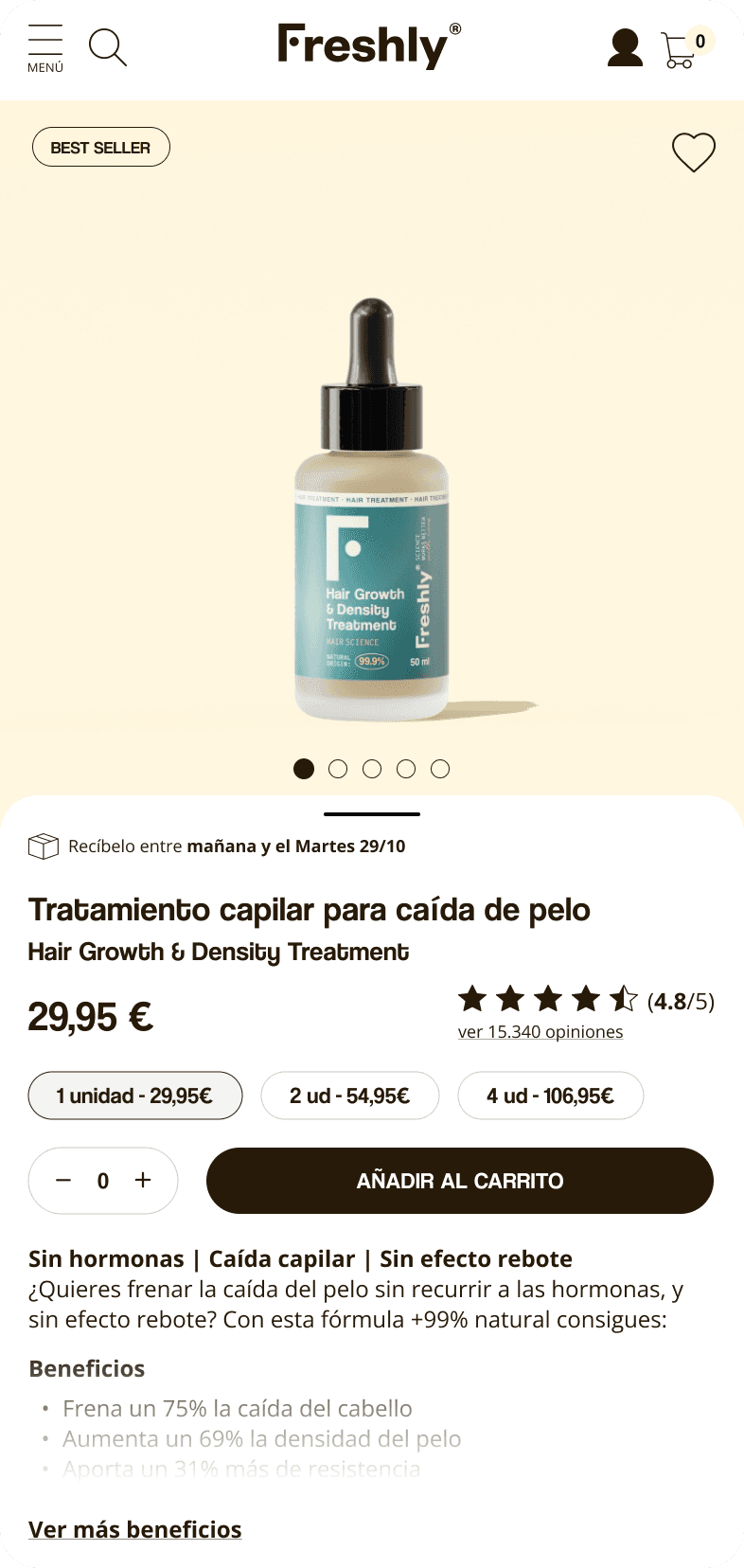
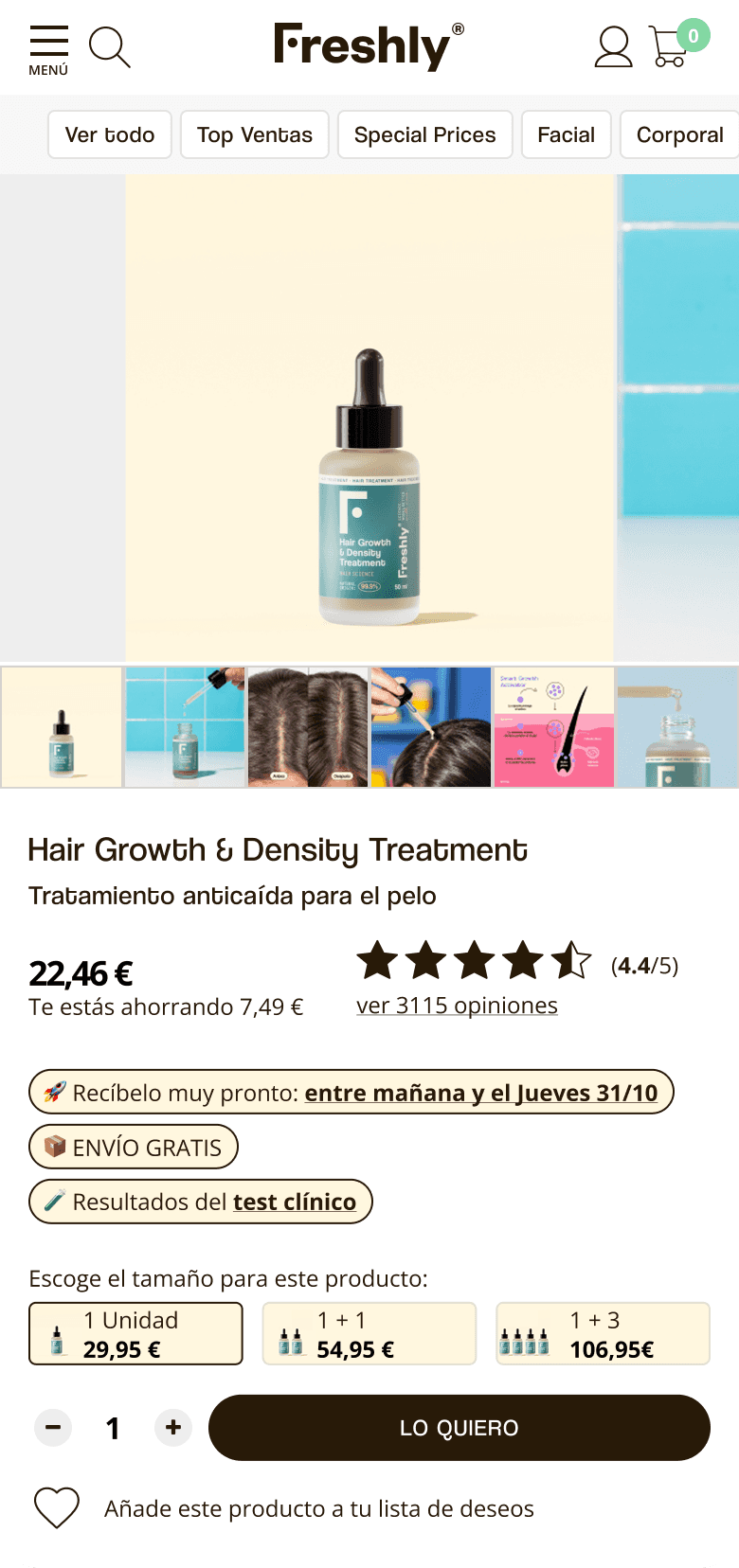
· We added tags with the most relevant product information before the description, making it simple and clear for the user to access this information.
· We made the carousel images full-width and removed the thumbnails from the carousel to reduce cognitive load.
In line with reducing cognitive load, we created a new component that gives the user the opportunity to read whatever information they want about the product description. We show them the first part, and the rest is collected, allowing them to decide whether to read more or not.
Educational and key information about products
· We added a new section to the accordions with the routine order, so users know which step of the routine they should apply that product. This also helps to see what the routines are like and if they have all the products to complete them, aiding in cross-selling.
· We added an accordion listing the INCI ingredients and those not used by Freshly, reinforcing the brand’s transparency and philosophy.
· We optimized the “How to Use” accordion. Previously, it displayed a single 1:1 video of a model applying the product, which users had to manually play. Our strategy, developed with the branding team, allowed multiple videos in 9:16 format that autoplay, featuring different UGC profiles to better connect with the various target audiences purchasing the product.
Highlighting Clinical Results
· We added a new section with a card component to showcase the clinical results of each product, positioned just below the product description.
· We used simple visuals and concise text to communicate product effectiveness in an easy-to-scan and understandable way.
Data & Results
The new PDP was implemented gradually. We started by testing it on the 5 hero products, showing it only to 20% of users visiting those PDPs. Metrics were closely monitored, and the rollout percentage was increased progressively. Once results remained consistently strong, the new design was fully deployed, as early metrics were highly significant.
↑2% Add to Cart
In the first three weeks after launching the new design. Users shopped with greater confidence.
↑3.95% Average Order Value
They explored more complementary products and felt more assured about the overall value proposition
↑150% time on page
We observed a clear reduction in bounce rates, indicating higher interest in the products